How can we help?
A step-by-step guide to a full game night, answers to common questions, and a real person when you need one.
A full game night, step by step
Short how-to videos are coming soon.
Create a game
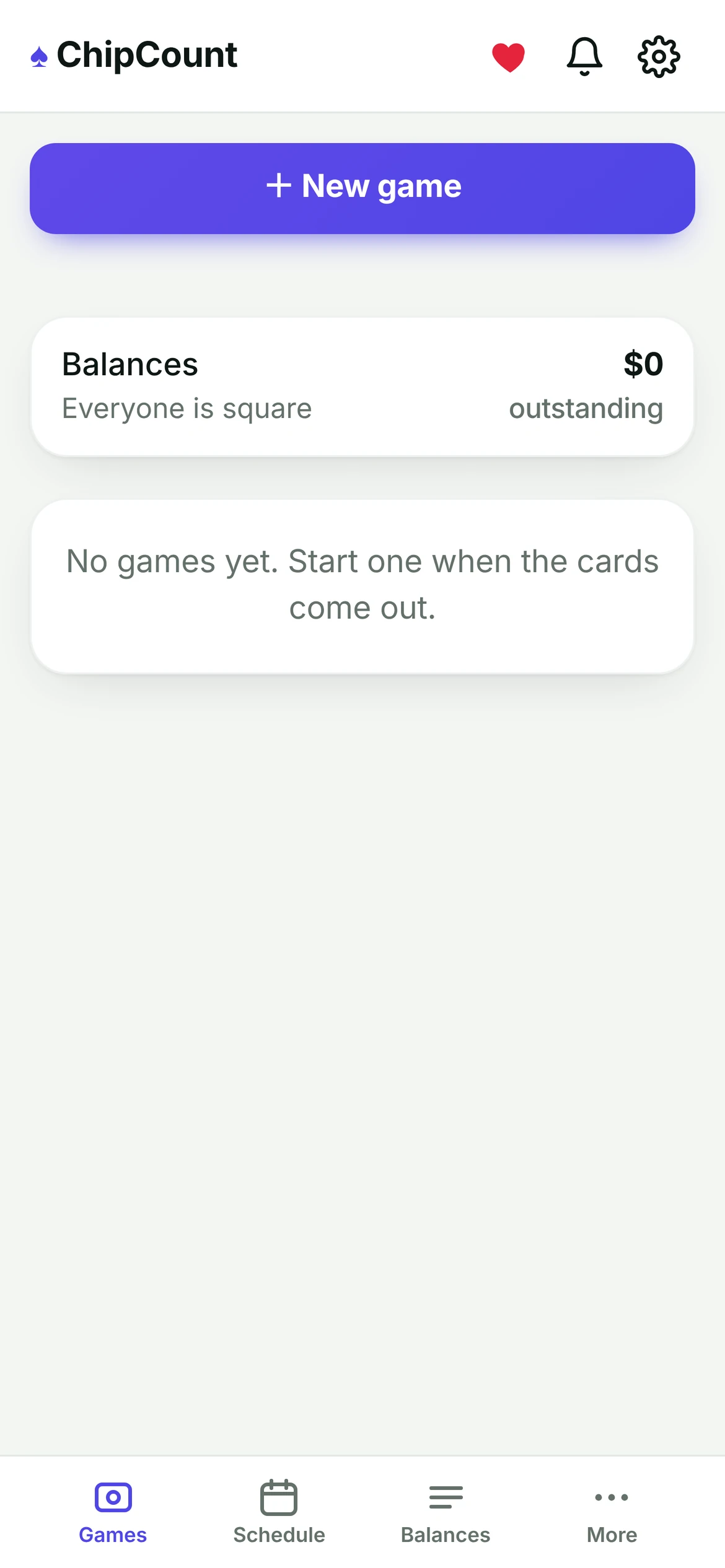
Tap New game. Name it, choose the currency and set the standard buy-in. If one person collects the cash, turn on Buy-ins are paid in cash to a banker. Then tap Start game.
Invite your friends
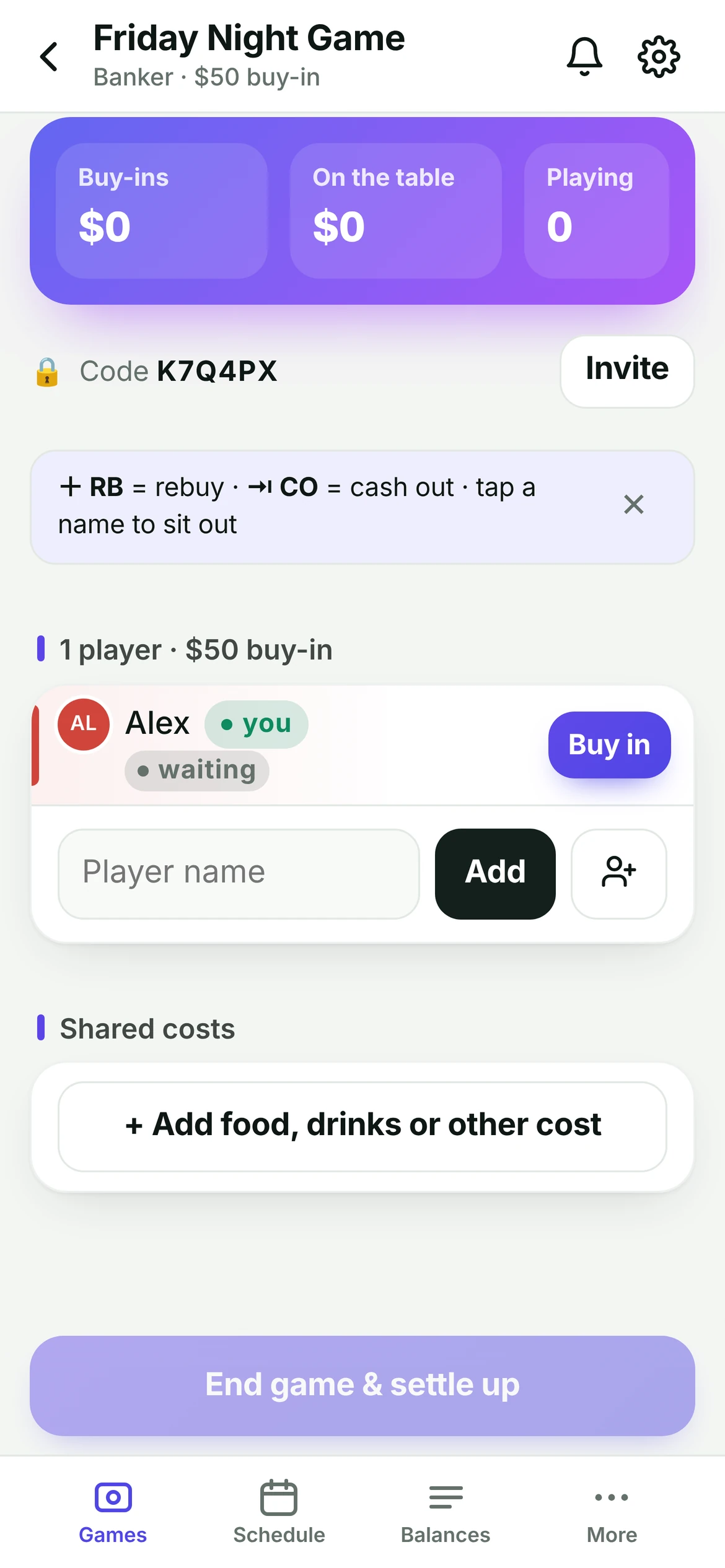
Tap Invite to share the game’s 6-character join code by text or WhatsApp. Only people with the code can see the game.
Join with a code
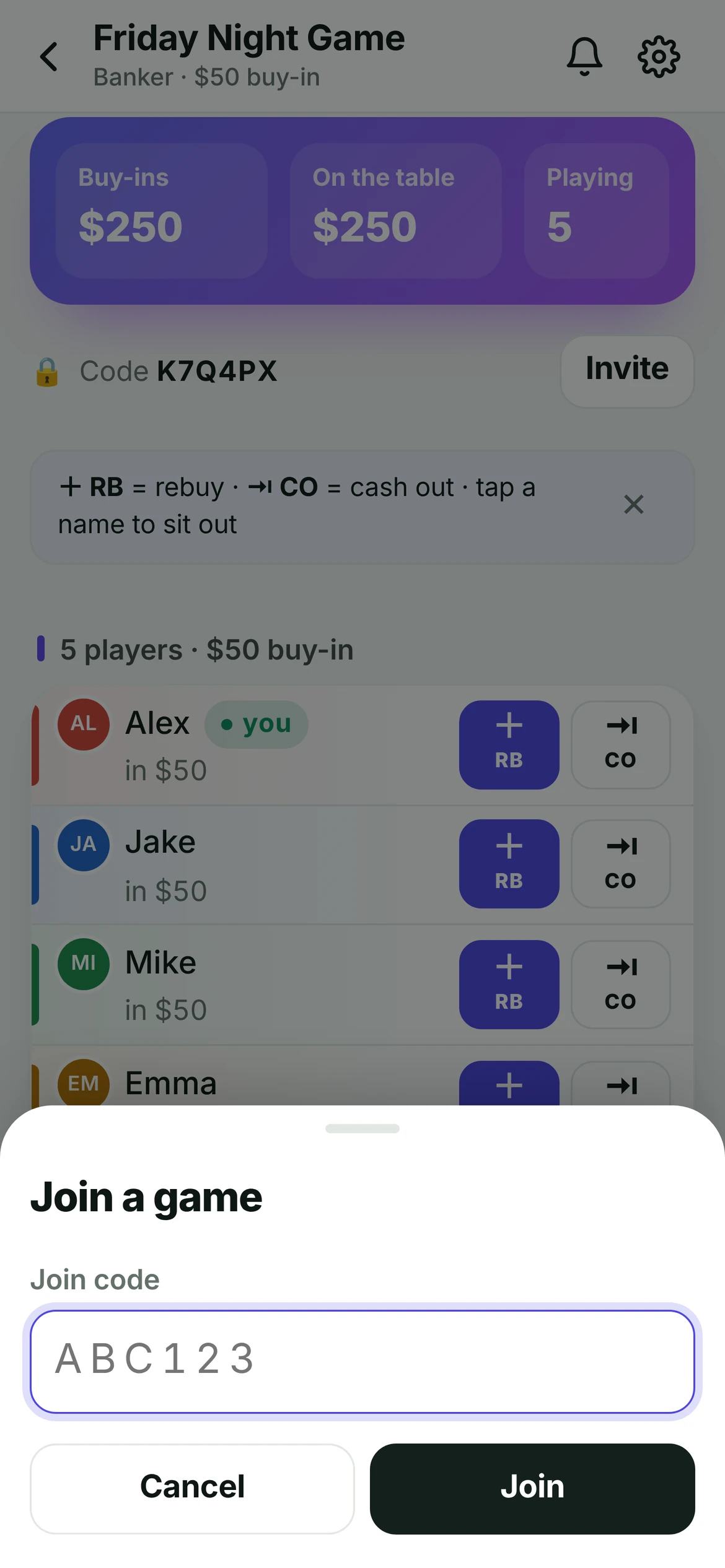
On their own phones, friends sign in, tap Join with a code and enter it. They follow the same game, live.
Add players and buy in
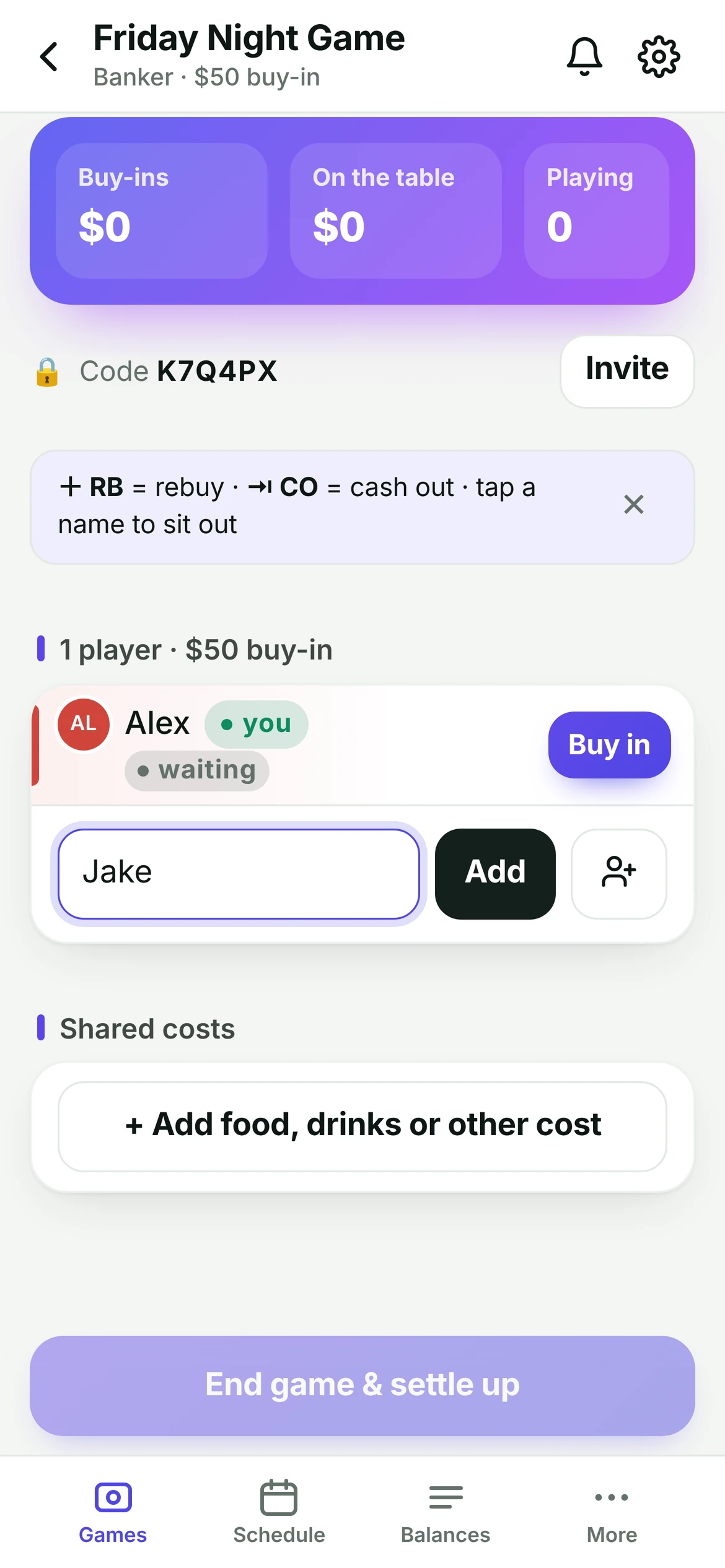
Add everyone at the table, then tap Buy in everyone waiting. Each player is in for the standard buy-in.
Rebuys
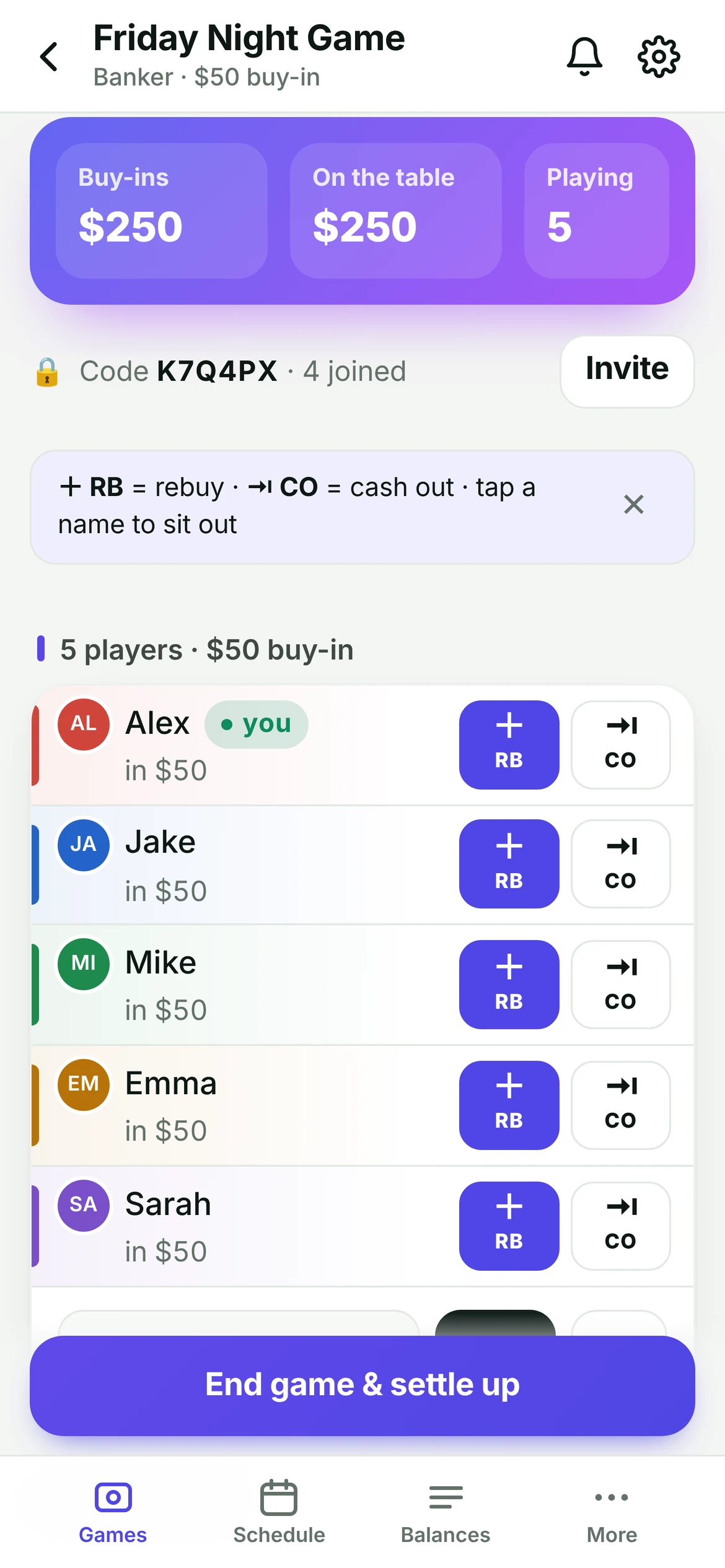
Tap RB next to a player, pick the amount and tap Add. Rebuys stack up under that player.
Party expenses
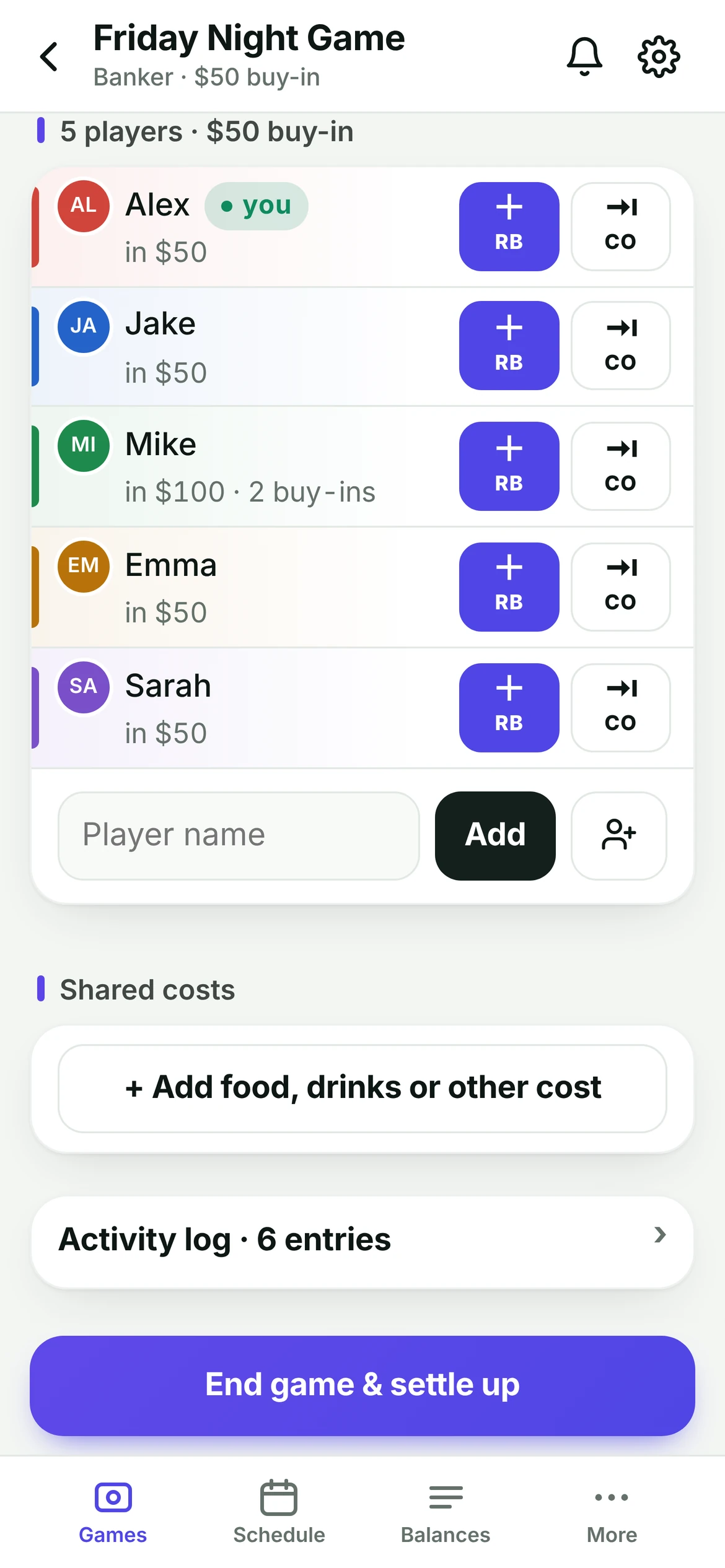
Tap Add food, drinks or other cost. Enter what it was, the total and who paid, then choose who shares it. ChipCount splits it equally.
Cash out
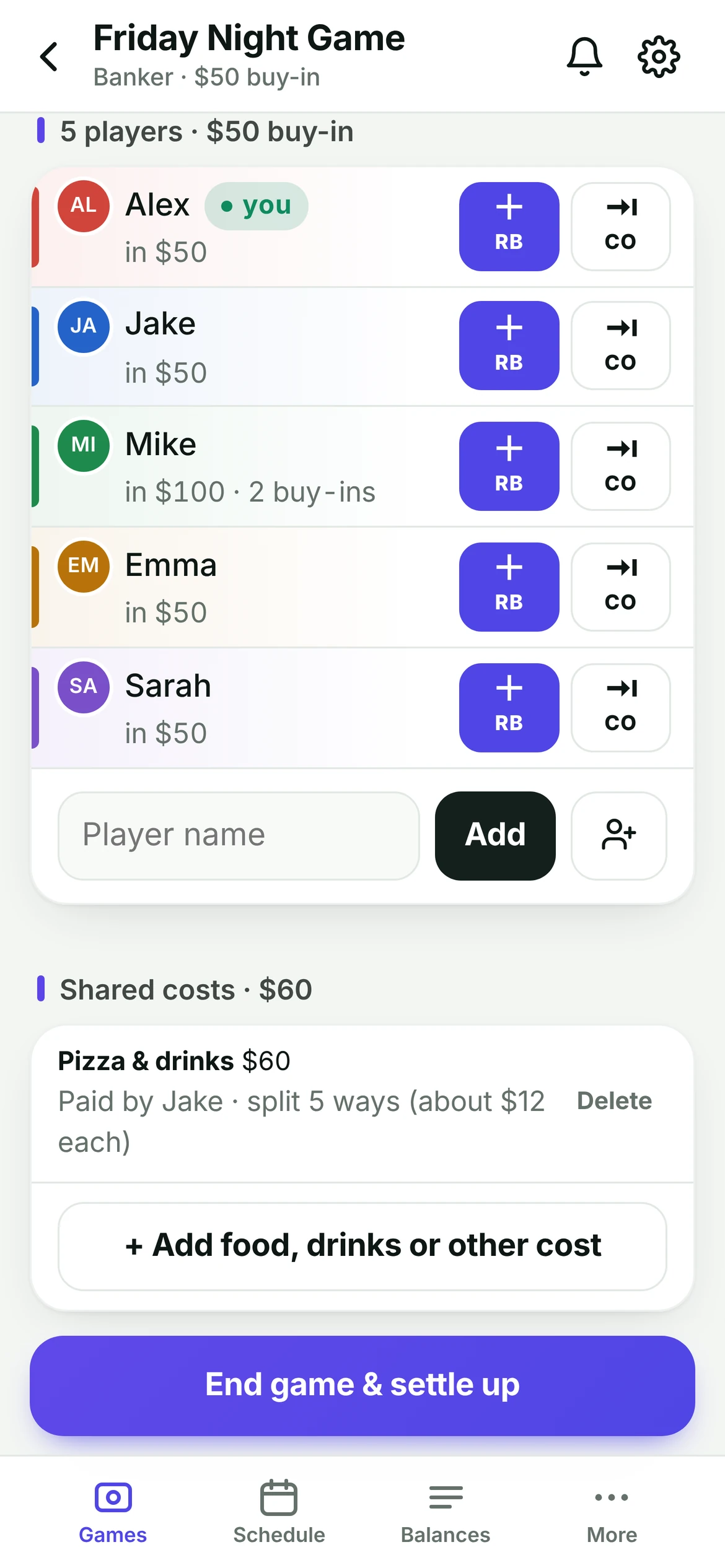
Tap End game & settle up. Enter each player’s chips left, tap Busted for anyone who’s out, then tap Cash everyone out.
Check the results
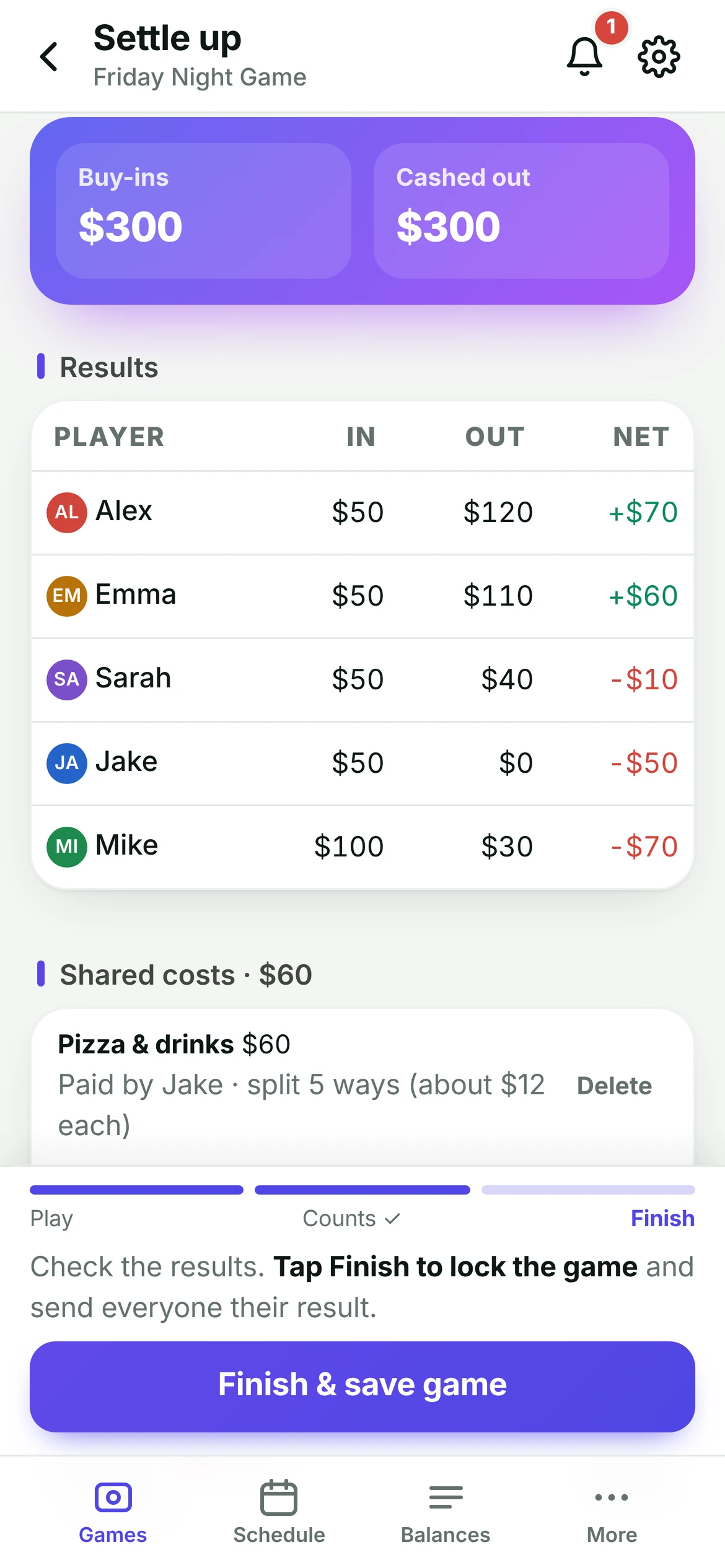
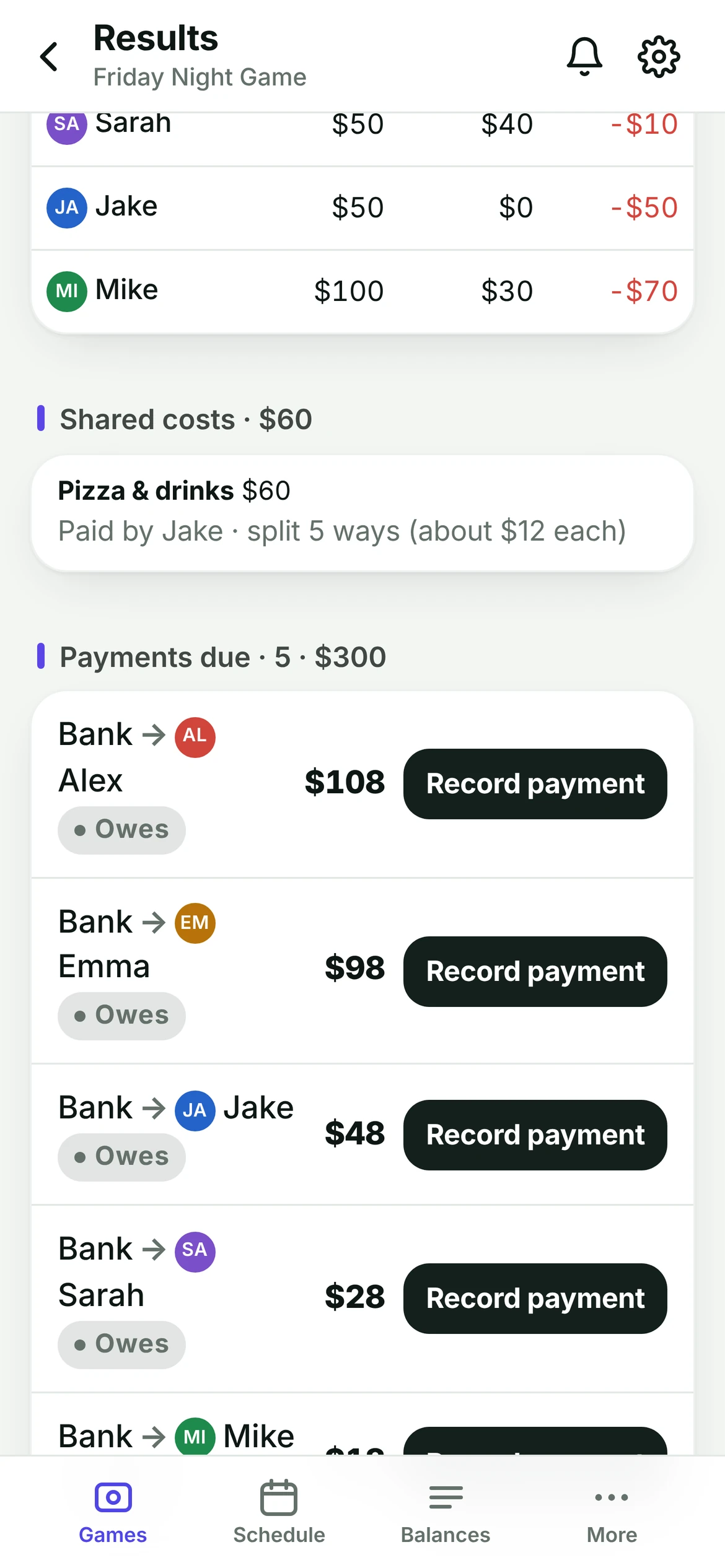
ChipCount shows every player’s result and checks that the counts match the table exactly. Tap Finish & save game to lock it.
Record payments
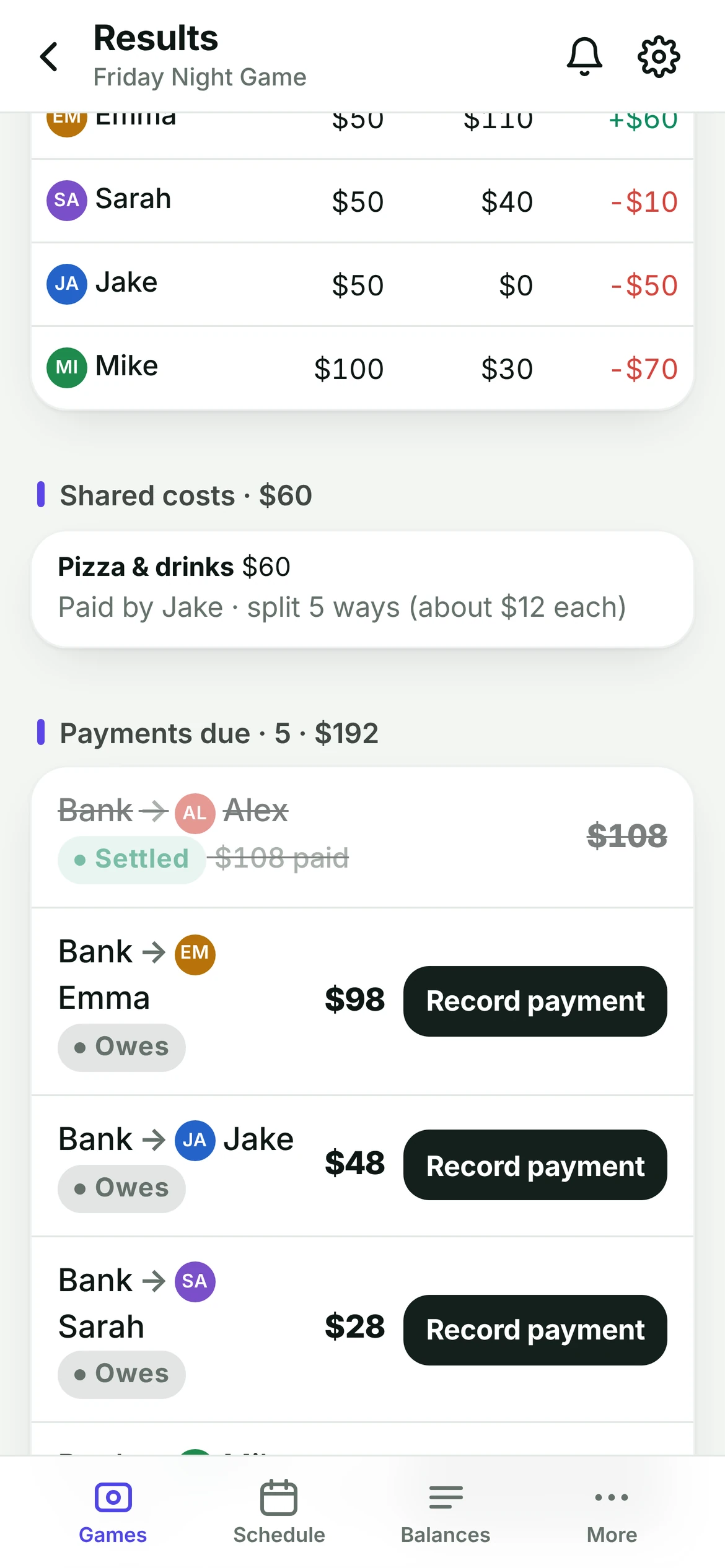
Payments due already include shared costs. As people pay, tap Record payment. Anything unpaid carries over in Balances.
See your report
Go to More › My report to see what you spent, cashed out and won for any time period.
Frequently asked questions
Does ChipCount move money?
No. It only records buy-ins, cash-outs and payments. If you add a player’s Venmo, Cash App, PayPal or UPI on their player card, payment buttons open your own pay app with the amount filled in.
How do friends join a game?
Tap Invite inside a game to share its 6-character code. Anyone who signs in and enters the code gets the game in their account. Nobody else can see it.
How do party expenses work?
Add a shared cost like food or drinks, enter who paid, and choose who shares it. ChipCount splits it equally and includes it in the payments due.
How does settling up work?
At the end of the night, enter each player’s chips left. ChipCount checks the counts against the table and shows who pays whom. With a cash banker, it shows what the bank pays each player.
What happens to unpaid amounts?
They carry over in Balances from game to game until someone records the payment.
Can rebuys need approval?
Yes. Turn on “Rebuys need approval” when you create the game. A player’s rebuy request waits for the banker, and a rebuy the banker adds waits for the player.
Who can see my games and results?
Only the game’s creator and the people who joined with its code. My report shows only your own results.
How do I sign in?
Sign in with your Google account. Sign in with Apple is coming with the App Store release.
How do I delete my account?
Go to More › Your account › Delete my account. Your games and data are removed.
Still need help?
Email us with your question, a screenshot if you have one, and your phone model. We reply to every message.